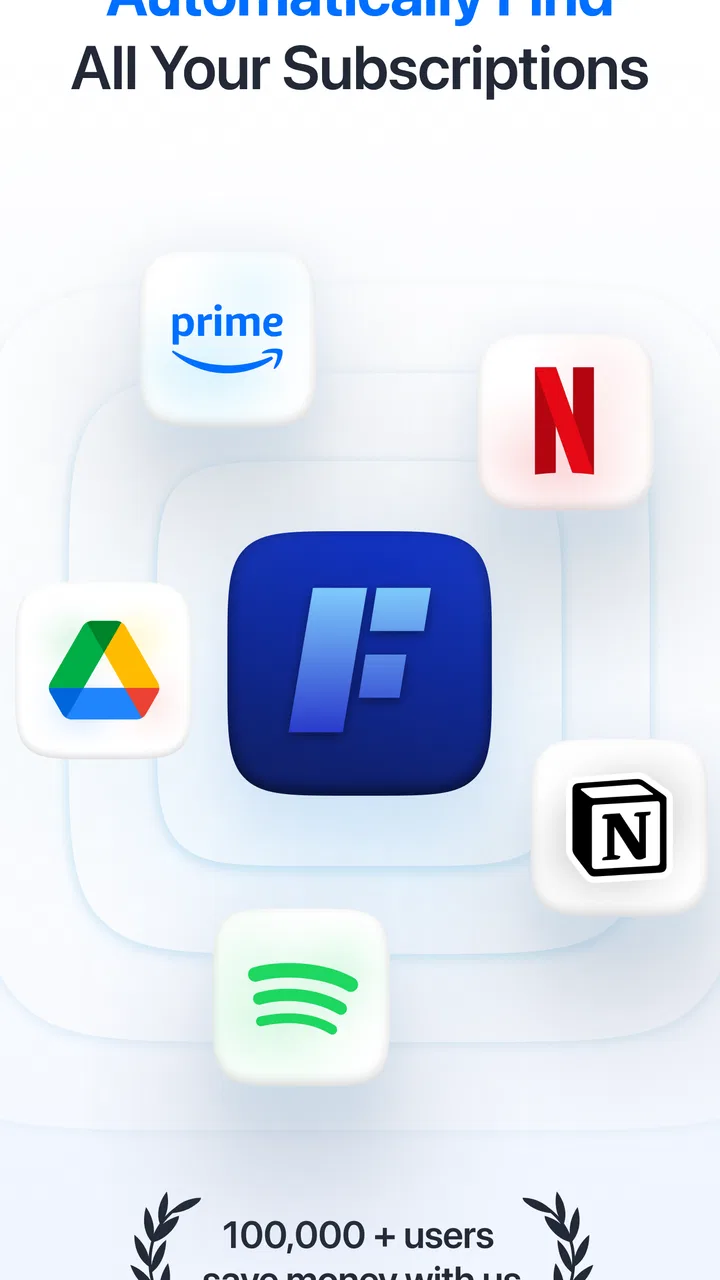
Feenko: Subscription Manager
- 4.4
- Rating
- 100.00K
- Installs
- Free
- Price

 Analysis by App-foxy
Managing subscriptions sounds simple until small recurring charges begin to scatter across bank statements, app stores, email receipts, and forgotten free trials. I found Feenko: Subscription Manager most useful as a place to bring that information into one routine instead of relying on memory. It is a free finance app from GotYourBack Technologies LTD, aimed at people who want a clearer view of recurring spending without turning budgeting into a full-time project.
My first impression was that Feenko works best when treated as a practical check-in tool rather than a complete personal finance system. It can help you identify what you pay for, decide which services still deserve a place in your monthly budget, and prepare for renewals before they become surprises. That focus gives it a clear purpose, although it also means users looking for broad banking, investment, or detailed expense-analysis features may need something more comprehensive.
How I built a useful subscription routine with Feenko
The most reliable way to start is not by trying to organize every financial detail at once. I would begin with the subscriptions I can remember immediately: streaming services, cloud storage, software plans, fitness memberships, news access, and any recurring mobile or gaming charges. Entering those first creates a working picture quickly and makes the remaining gaps easier to notice.
You May Also Like

 Blood Strike: 2.5 Anniversary
Blood Strike’s Loadouts Turn Every Drop Into a Tactical Gamble
A close look at Blood Strike’s custom loadouts: how fast access to signature weapons reshapes its battle royale rhythm, rewards preparation, and narrows the gap between fights.

 Pandora - Music & Podcasts
Pandora’s Music Is Easy to Start, but Harder to Recover
Pandora’s strength is its low-effort path from a seed to a station. Its weak spot is how much confidence it asks you to place in connection, setup, and quiet recovery.

 8 Ball Pool
 Is Built on Rivalries, Rematches, and Routine
A close look at the rivalries, rematches, shared routines, and unanswered safety questions that turn a quick pool match into a persistent mobile community.

 Samsung Music
’s Quiet Strength Is Playing What You Already Own
Its reach comes less from spectacle than from dependable access to a personal library. That simplicity is both the app’s strongest retention engine and its ceiling.

 AccuWeather: Weather Radar
AccuWeather Review: A Quick, Clear Forecast for Everyday Decisions
For everyday plans, the best forecast is the one you can understand quickly. AccuWeather makes rain timing, radar, and local conditions easy to act on, with a few trade-offs.

 Hill Climb Racing
Why Hill Climb Racing Still Turns Crashes Into One More Run
A tiny car, a bumpy hill and one more upgrade: Hill Climb Racing keeps resurfacing because its simple chaos makes every near-miss feel personal.
More From Our News Desk



After that, I would compare the app’s list with recent bank or card activity and search email for renewal receipts. This two-pass approach is more dependable than trying to reconstruct everything from memory. A subscription can be easy to forget when it is billed annually, attached to a different payment method, or bundled into an account used by another member of the household.
For an everyday example, imagine checking your finances before a busy month. You notice that a video service, a storage plan, and a language-learning membership renew at different points. Instead of waiting for three separate charges, you can use Feenko as a reminder to review whether each one is still useful. The value is not merely seeing names in a list; it is creating a repeatable moment where you question automatic spending.
I recommend assigning a simple purpose to every entry while setting it up: entertainment, work, learning, health, or household use. Even if the app does not replace a full budget, this habit makes decisions faster. A service that supports work is judged differently from one used twice a month, and a family plan may be worth keeping even when an individual plan would not be.
The app is also more helpful when I use it before a renewal rather than after a charge. Reviewing upcoming commitments gives me time to cancel, downgrade, or switch a service through its proper billing channel. That last point matters: a subscription manager can organize information, but it should not be assumed to cancel every plan directly. I would always confirm where the subscription is billed before taking action.
Feenko is free to download, which lowers the barrier to testing this workflow. It also includes in-app purchases ranging from under a dollar to several dozen dollars per item, so I would check the purchase screen carefully before selecting anything paid. For someone with only a handful of subscriptions, the free starting point may be enough to decide whether the app fits their habits.
What I would check before trusting the list
My main setup rule is to separate confirmed subscriptions from items that merely look recurring. A monthly charge may be a utility bill, an installment, a donation, or a temporary authorization rather than a subscription. I would avoid adding uncertain charges as if they were definite, because an inaccurate list can create false confidence.
I would also record the billing interval carefully. Monthly, yearly, and irregular renewals have very different effects on cash flow. An annual plan can look inexpensive when viewed as a monthly equivalent but still create a large single-day charge. Experienced users should keep both perspectives in mind: the long-term cost and the amount that actually leaves the account at renewal.
Another useful habit is to review shared services separately from personal ones. If a household uses one plan, the decision should consider how many people rely on it, not just whether I personally opened it recently. This prevents the common mistake of canceling something that appears quiet in my own usage but remains important to someone else.
Settings and details worth checking early
Once the basic list is in place, I would spend a few minutes checking the app’s available settings and notification behavior rather than accepting the defaults automatically. A reminder is only useful if it arrives early enough to support a decision and at a time when I will actually notice it. Too many alerts become background noise, while alerts that arrive too late do not help with cancellation windows.
I would choose a consistent review day, such as the day after a regular payday or the first weekend of the month, and use Feenko as part of that routine. The exact day is less important than repetition. A subscription manager becomes more valuable when it is connected to an established financial habit instead of opened only after an unexpected charge.
It is also worth checking the app’s version information and compatibility before installing on an older device. Feenko is currently at version 1.7.48 and supports Android starting with version 7.0. That makes it accessible to many older phones, but I would still keep the app updated where possible so that its behavior remains consistent with the current release.
The content rating is Everyone, which makes the app suitable for a broad audience. That does not remove the need for sensible privacy habits, though. Finance-related information deserves care, so I would avoid entering more personal detail than the app’s workflow requires and would protect the phone with a secure lock method.
One setting-related trade-off is convenience versus accuracy. The more information I enter, the more useful the overview can become, but manual details also require maintenance. If a plan changes price, moves from monthly to annual billing, or is canceled outside the app, the record must be updated. I would rather keep a smaller, accurate list than a large list that quietly becomes outdated.
Faster patterns for experienced users
After the initial setup, I would stop treating every review as a fresh investigation. A faster pattern is to divide subscriptions into three groups: essential, useful but negotiable, and candidates for removal. This gives each renewal a default decision path. Essential plans need a quick confirmation, negotiable plans deserve a value check, and removal candidates should prompt me to verify cancellation details.
A second pattern is to review by billing frequency. Monthly charges are easy to overlook because each one may seem small, while annual plans deserve a separate calendar-style check because their individual payments can be more noticeable. Looking at both groups prevents the monthly list from dominating attention.
I would also use a short “last useful moment” note outside the app or within any available description field. For example, a service might be essential during a course, a project, or a travel period but unnecessary afterward. This turns a vague feeling of waste into a clear review question: is the original reason for keeping it still present?
Another efficient workflow is to pair Feenko with a receipt search once a month. I would search for renewal confirmations, compare them with the app’s records, and correct only the entries that changed. This is quicker than rebuilding the list and helps catch services billed through a different marketplace or email address.
Shortcuts are most useful when they reduce decisions, not when they encourage rushed cancellations. I would keep a small checklist: confirm the service is still used, identify who depends on it, check the next renewal timing, and verify the billing provider. That sequence is particularly helpful for family plans and subscriptions started through a phone’s app marketplace.
Feenko can also support a “cooling-off” habit for new trials. When I start a trial, I would add it immediately rather than trusting myself to remember later. Then I would review it before the conversion date. The important insight is timing: adding a trial after it becomes a paid plan defeats much of the benefit of tracking it.
Where the app’s focused approach reaches its limits
Feenko’s narrow purpose is both its strength and its boundary. It is easier to approach than a full budgeting suite when the problem is recurring services, but it should not be mistaken for a complete picture of financial health. Someone who needs detailed category budgets, debt planning, investment tracking, or account reconciliation may be better served by a broader finance application.
Manual upkeep can also become friction. If you subscribe to many services, change plans frequently, or manage several people’s accounts, the list may require regular corrections. The app can help organize decisions, but it cannot remove the underlying responsibility to check actual charges and billing terms.
There is another limitation for users who expect one-tap control over every subscription. The place where a plan is managed matters. A service purchased through an app marketplace may need to be canceled there, while a direct website subscription may require visiting the provider. Feenko is most useful as the control panel for awareness, not as a guarantee that every cancellation happens inside the same interface.
Users should also think about how they handle sensitive financial information. A dedicated subscription list can be convenient, but convenience should not lead to careless sharing or weak device security. I would be especially cautious on a shared phone and would review what appears in notifications so that private details are not exposed on a lock screen.
The purchase model deserves attention as well. Although the app is free, optional in-app purchases can cost from $0.99 to $39.99 per item. I would begin with the free experience, identify the exact problem I want solved, and only then decide whether an optional purchase offers enough value. This is a better approach than paying first and discovering that my needs are limited to a simple list and review routine.
Who will benefit most, and who should choose another tool
I think Feenko is a strong fit for people who repeatedly forget small recurring charges, start trials casually, or want a dedicated place to review subscriptions without adopting a complete budgeting system. It is also useful for anyone preparing to reduce monthly spending and needing a clear inventory before making cuts.
It may suit students, freelancers, households, and busy professionals for different reasons. A student can use it to review entertainment and learning services around a changing schedule. A freelancer can separate work-related plans from optional tools. A household can discuss shared services more clearly when the recurring commitments are gathered in one view.
I would be less likely to recommend it as the only finance app for someone who wants automatic account-level analysis, detailed cash-flow forecasting, or a unified view of income and expenses. In those cases, a full budgeting platform is the better primary tool, with Feenko serving only if its subscription-focused workflow feels more convenient.
The app has attracted an average rating of 4.4 from around two thousand ratings, with over one hundred thousand installs. Those figures suggest that the focused idea has found a real audience, but they should not replace a personal trial. Subscription habits vary widely, and the right question is whether the app makes your own review process easier and more consistent.
My verdict after using it as a repeatable habit
What I like most about Feenko is the reminder that recurring spending deserves its own review. A general bank statement shows what happened; a subscription manager encourages me to ask what will happen next. That change in perspective is practical, especially for charges that are individually small but collectively meaningful.
I would recommend starting slowly, checking billing intervals, separating shared plans from personal ones, and reviewing alerts before relying on them. The strongest results come from combining the app with a monthly routine, receipt checks, and a clear rule for trials. The real advantage is not a crowded list; it is a dependable decision habit.
Feenko is not the right answer for every financial task, and its usefulness depends on keeping entries accurate. Still, for someone who wants a free, dedicated way to organize recurring services and make renewal decisions earlier, it is a sensible tool to try. GotYourBack Technologies LTD has kept the concept focused, and that focus makes the app easier to recommend to a friend who says, “I know I am paying for too many things, but I do not know where to start.”
My final advice is to install it with one goal: build a trustworthy subscription inventory during the first session, then maintain it with short, regular checks. If that process gives you fewer surprises and clearer cancellation decisions, Feenko is doing its job. If you need a complete financial command center, choose a broader alternative instead and treat this app as optional rather than essential.
FAQs for Feenko: Subscription Manager
01What is Feenko: Subscription Manager used for?
Feenko: Subscription Manager is designed to help you organize and monitor recurring subscriptions in one place. You can record services such as streaming platforms, cloud storage, software, memberships, and other regular payments. The app can make it easier to see upcoming renewal dates, review your recurring expenses, and understand how much you spend on subscriptions each month or year, depending on the features available in your version.
02Can I add subscriptions manually and customize their billing details?
Yes, Feenko is primarily useful because it lets you create subscription entries according to your own payment schedule. Before downloading, check which fields are supported in the current release, such as price, currency, billing frequency, renewal date, category, and notes. Customizing these details is important when a service has a trial period, annual billing, changing prices, or a renewal date that differs from the original sign-up date.
03Does Feenko send reminders before a subscription renews?
Reminder functionality is one of the main reasons to use a subscription manager, and Feenko may help you keep track of upcoming charges through notifications or renewal-date alerts. However, reminder behavior can depend on your device permissions, notification settings, subscription plan, and the app version. After installation, review notification permissions carefully and confirm that each subscription has the correct renewal date so alerts are useful.
04Is Feenko: Subscription Manager free to download and use?
The availability of free features, premium tools, advertisements, and in-app purchases may vary by platform and version. Feenko can generally be downloaded from an official Android or iOS store, but users should read the current store listing before installing. Pay particular attention to trial terms, recurring premium billing, cancellation rules, and whether advanced tracking, analytics, backups, or unlimited subscriptions require a paid plan.
05Is my subscription and financial information safe in Feenko?
Feenko may contain personal information such as service names, prices, renewal dates, and spending patterns, so privacy should be considered before entering data. A subscription manager normally tracks expenses rather than processing payments directly, but you should still review the app’s privacy policy, requested permissions, backup options, and data-sharing practices. Avoid entering sensitive banking passwords, card numbers, or account credentials unless the official documentation clearly explains secure handling.
Pros
- Clear overview of recurring subscriptions and renewal dates
- Helps identify unused services and potential monthly savings
- Useful reminders can reduce unexpected subscription renewals
- Simple interface makes subscription tracking easy to understand
- Supports better budgeting by showing recurring spending in one place
Cons
- Requires accurate manual updates when subscriptions change
- Some features may be limited to premium users
- Does not automatically cancel subscriptions for you
- Privacy concerns may arise when entering financial details
- Currency or regional support may vary by subscription provider

Feenko: Subscription Manager
Gallery